Best AI Tools
Best AI Video Remix Tools: Clone Any Video (2026)
Start with Higgsfield Genjutsu, the original that started this trend. Try Sume Remix if you want pay-as-you-go pricing with no subscription, Renoise if you have only a photo, and Ochra Recast to put your own face into a clip and keep its sound.
Disclosure: No tool on this page is a Starbelo affiliate partner yet, so every Try button is the plain official link. We rank by what each tool does and what real creators made with it. Editorial policy.
The Four Tools at a Glance
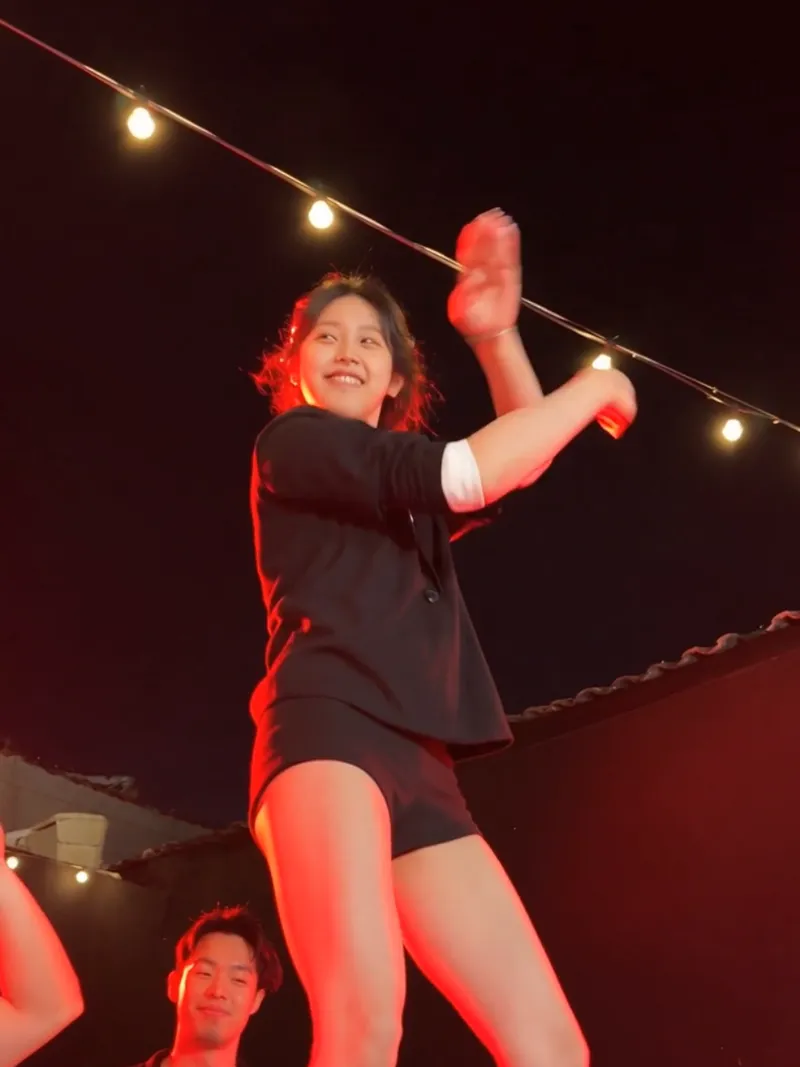 The original1 of 4
 Higgsfield Genjutsu
Motion transfer and object swap: it keeps the motion, camera and timing of your clip and rebuilds the rest from your references.
- Clip: 4 to 30 seconds
- References: Up to 30 images
- Price: Higgsfield credits, shown before each run
Best for: Swapping a whole character, outfit or product while the shot stays exactly as filmed, if you already use Higgsfield.
SU Sume Remix
Clone a short clip: add a 4 to 15 second video and 1 to 8 photos, and the photos move like the clip. Motion transfer or object swap.
- Clip: 4 to 15 seconds
- References: 1 to 8 photos
- Price: Pay as you go from a $5 top-up, no subscription. 480p $0.1230 per second, 720p $0.2766, 1080p $0.6804
Best for: Pay-as-you-go remixing of short clips with no monthly plan.
Demo by @davidim
 Template-first3 of 4
 Renoise
Start from a trending template and your own photo: its Remix templates and AI Dance Generator turn one picture into a ready clip.
- Clip: 4-second dance clips; templates run longer
- References: One photo (a second dancer is optional)
- Price: First dance video free after signup (480p). Paid plans from $20/mo for 1,200 credits
Best for: Making a trending clip from a photo with no source video of your own, with a free first try.
 Face swap4 of 4
OR Ochra Recast
Put your own face into a clip. It keeps the motion, framing, timing and the original sound, and swaps in the face from your photo.
- Clip: 4 to 30 seconds
- References: One face photo (up to 30 accepted)
- Price: Per second of clip: about $0.15 at 480p, $0.33 at 720p, $0.82 at 1080p
Best for: Putting yourself (or a pet) into a clip and keeping its soundtrack.
Genjutsu is first as the original; the other three follow.
Watch Sume Remix in 42 Seconds
Demo by David Im (@davidim), from his Sume Remix launch post on X, Oct 26, 2026. The on-screen price comparison is Sume's own; check Higgsfield's live credit cost before you compare.
Side-by-Side Comparison
| Tool | Source clip | Starts from | Pricing | Best for |
|---|---|---|---|---|
| Higgsfield Genjutsu | 4 to 30 s | Your clip + up to 30 images | Higgsfield credits, cost shown before each run | Full character or product swaps |
| Sume Remix | 4 to 15 s | Your clip + 1 to 8 photos | $5 minimum top-up, no subscription; $0.1230 to $0.6804 per second | No-subscription remixing |
| Renoise | Template or photo | A trending template + your photo | Free first dance video; paid from $20/mo | Trends from one photo |
| Ochra Recast | 4 to 30 s | Your clip + a face photo | $0.15 to $0.82 per second, shown before you run | Your face, original sound |
Pricing read on each official page on Oct 26, 2026: Higgsfield Genjutsu · Sume pricing · Renoise pricing · Ochra Recast. Prices change often; confirm before you run.
How Do You Clone a Video With AI?
- Pick a source clip with the motion and camera you want, and check you have the right to use it.
- Add your references: a character, a face or a product photo, with permission for any real person.
- Choose motion transfer (new cast, same moves) or object swap (change one thing, keep the shot), then run it at 480p to test.
- Re-run at 720p or 1080p once it looks right. Prices rise with resolution on every tool here.
Which One Should You Pick?
- You want the original workflow: Higgsfield Genjutsu.
- You do not want a subscription: Sume Remix, from a $5 top-up.
- You only have a photo: Renoise and its free first clip.
- You want your face and the original sound: Ochra Recast.
Trend to try it on: the Toc Toc AI dance.
Frequently Asked Questions
What is an AI video remix tool?
It takes a video you like and rebuilds it with your own character, face or product. The motion, camera and timing of the original clip stay, and the new look comes from your photos or prompt.
Which AI video remix tool came first?
Higgsfield Genjutsu is the one that started this trend. Sume describes its Remix launch as the same workflow as Genjutsu, and Recast and Renoise offer their own takes on the idea.
Which is cheapest?
It depends on the clip. Sume Remix charges $0.1230 per second at 480p and Recast about $0.15, both pay as you go. Genjutsu uses Higgsfield credits and the cost shows before each run, so compare the live price for your exact clip and resolution.
Can I use someone else's face?
Only with their permission. Recast says so in its content policy, and the same rule applies to every tool here. Also turn on the AI label when you post to TikTok or Reels.
Which tool is best for the Toc Toc dance trend?
Genjutsu or Sume if you have the dance clip and want a new character in it, Recast if you want your own face with the original sound, and Renoise if you only have a photo. See the Toc Toc AI dance guide.
Do these tools have affiliate links on Starbelo?
Not yet. Every Try button here is the plain official link, and nothing on this page changes with sponsorship.
How We
Clip limits, modes and prices come from each tool's official page, read on Oct 26, 2026. Case links go to sourced creator posts on Starbelo. We don't publish ratings we can't source, and no tool paid for its place on this page. Spot something outdated? Tell us.
More: Compare AI Tools · Best Picks · AI Tools