Compare AI Tools
Muse vs Cursor
MuseVSCursor


Which is right for you in 2026?
1The Verdict
🎯Meta's personal AI assistant →Muse
🎯AI code editor →Cursor
2Head to Head
| Muse | Cursor | |
|---|---|---|
| Best for | Meta's personal AI assistant that connects to apps like Google Calendar | AI code editor: describe what you want and it writes and edits the code |
| Standout features | No data | Agent in the editor, cloud agents, Bugbot code reviews |
| Runs where | No data | Desktop editor; cloud agents and automations on Premium and up |
| Scheduled tasks | No data | Automations on Premium and up |
| Price from | Free with limits; Meta account | Free plan; Plus $8/mo; Premium $30/mo |
3Access
| Muse | Cursor | |
|---|---|---|
| Availability | Open to all | Open to all |
| Free plan | Yes, with limits | Yes |
| Platforms | No data | Desktop editor |
| Runs without your device on | No data | Partial: cloud agents on Premium and up |
| Active users | Not published | Not published |
4Quick Rule
Want Meta's personal AI assistant? →Muse
Want AI code editor? →Cursor
AI tools change fast, sometimes daily. We review and update this comparison regularly. Last reviewed Oct 30, 2026.
Real Muse Cases
 YouTube & ShortsREACHAI WorkflowsMeta Muse Matchmaking247.6Kviews
 GrokREACHAI WorkflowsBot vs Dots vs Muse269.4Kviews
 GrokREACHAI WorkflowsMFM Tests Grok Bot172.9Kviews
Real Cursor Cases

 ScrolltideDigital ProductsAI Website Prompts and Templates3,000+ Buyers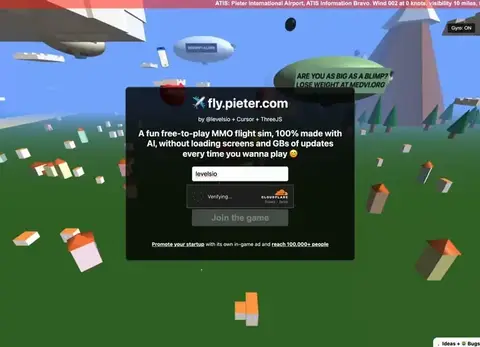
 CursorREVENUEBuild an App with AIPieter Levels, Browser Flight Sim$1M ARRearned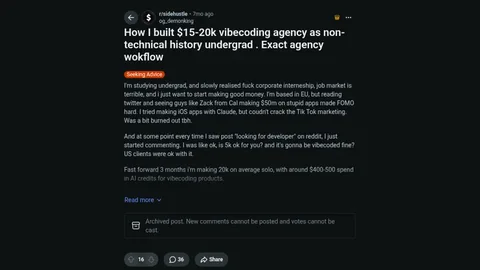
 LovableREVENUEBuild an App with AIStudent Vibe-Coding Agency$15K-20K/moearned
Prompts to Try
Muse prompt from Match buyers and sellers from Facebook groups with Meta Muse: 247.6K views
Prompt
(Our template, not the creator's prompt.) Act as the operator of a tiny online business: [idea]. List the first 10 tasks, mark which need a human (money, sign-ins, legal), and write a daily log template with revenue, costs and real users.
Cursor prompt from Sell AI website prompts and templates: 3,000+ buyers
Prompt
(Our template, not Scrolltide's prompt, which is paywalled.) Build a one-page, scroll-driven website for [business] in React with Tailwind and Framer Motion. Open on a full-screen [video or photo] with a short headline and one call to action. As the visitor scrolls, move through [3 to 4 scenes] with a slow, camera-like zoom between them, then end on a dark closing section with the [booking or contact] button. Mobile first, and respect reduced-motion settings.