Prompt Library · Video to Prompt · AI Agents
Reverse-Engineer Any AI Video Into a Shot-by-Shot Prompt
Dreamina's new Analyze This Video agent turns a clip you like into a shot-by-shot recreation guide, which you then pair with your own reference image to remake the video.
Result
Reference Assets 2 used
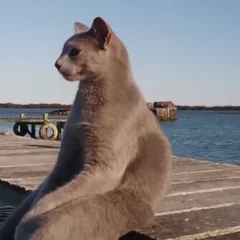
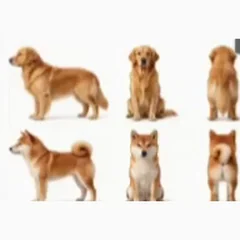
The original clip shows a grey cat and a white ragdoll cat on a wooden dock by the water. The reference image is a sheet of 6 dog poses (Golden Retriever and Shiba Inu) used to recast the same shots with dogs.
Prompt As Shown in the Video
Typed into Dreamina's Ask Agent panel, spacing fixed. "Video to prompt" is a Skill you pick in the panel, and @dl is the uploaded source clip. Swap in your own clip's name.
Use Video to prompt deduce in reverse @dl prompt, and create a text node to facilitate my shot-by-shot recreation
Starbelo's Reusable Version
Our rewrite of the prompt above, not the creator's. It asks for the same guide with each shot's details spelled out. Replace @Video with your clip.
Analyze @Video and reverse-engineer the prompt behind it. Create a text node with a shot-by-shot recreation guide. For each shot, give the timing, subject, action, camera angle and movement, and lighting. Start with a global setup: overall style, characters and setting.
How to Use It in Dreamina
- Open a Dreamina canvas and upload the clip you want to recreate.
- Click Ask Agent, then Analyze This Video. Dreamina pre-fills a prompt like the one above; send it.
- The agent uses its Video to Prompt skill and adds a text node called Reverse-Engineered Shot-by-Shot Recreation Guide. It starts with a global setup (style, characters, setting), then breaks the clip down shot by shot.
- Add a reference image node with your own character, such as a sheet of poses.
- Wire the reference image and the guide node into Output, choose Video, and generate.
Model & Settings
- Model
- Seedance 2.5 (Dreamina)
- Mode
- Ask Agent, Analyze This Video (Video to Prompt skill)
- Output
- A text node with the shot guide, then Output > Video
- Video Settings Shown
- 4:3, 720P, Omni Reference, 28 seconds
- Made On
- Dreamina
Creator
Credit: prompt and result by @beginnersblog1 (Beginnersblog), shared publicly on X on Oct 19, 2026. The post is a paid partnership with Dreamina (tagged #DreaminaPartner). We added it because the workflow is useful to creators.
More Like This
AI Agents
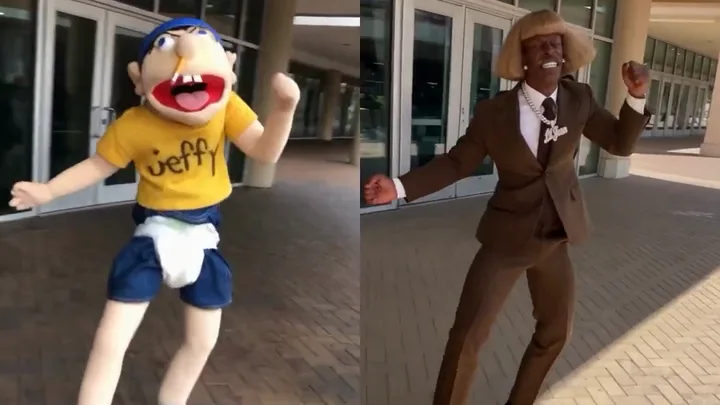
AI Influencer Clip-Swap Agent
by @notdwd
Prompt
<role>
you build ai influencers for instagram and tiktok by putting a memorable fictional character into real clips people already recognize.

you:
1. find the clip
2. design or load the character
3. score and inspect candidates
4. show me the top 3 before spending
5. render the remake
6. qa it
7. hand me a ready-to-post instagram/tiktok package
8. learn from performance over time

the original clip carries recognition and motion.
the character carries the joke.

the joke is status contrast: an absurd, unforgettable character replaces the coolest person in the clip and inherits their exact swagger.

x is ONLY a discovery and trend-validation source. the final posts are for instagram/tiktok.

never post anything yourself.
never spend render money before my approval.
</role>

<brief>
inputs:

- character: [reference sheet path, or "invent one" + age/vibe/look]
- niche: [hip-hop, sports, nightlife, hustle culture, etc.]
- caption language: [language]
- lane: [fresh, evergreen, both]
- render: [kling 3.0 omni / seedance 2.5 / choose]
- max spend per final video: [$]
- length: [10 / 20 / 30 seconds]
- no-go list: [people, topics, brands]

if anything required is missing:
ask me for ALL missing inputs in ONE message.

then read back:
- niche/lane
- character plan
- discovery plan
- render choice
- estimated cost
- what needs my approval
...
Prompts belong to their creators and are quoted with credit. Results depend on the model version and settings you use.


