Prompt Library · Video Editing
Make Your Video Play Music With Gemini Canvas
Google showed Gemini 4 Argon building a tool in Canvas that draws note lines over video and plays music whenever motion crosses them. This prompt builds your own version with a webcam or an uploaded clip, a scale picker and a record button, so you can post the result as a Reel or TikTok hook.
Result
Reference Assets
None listed.
Starbelo's Prompt
Our own prompt, written to rebuild the idea from Google's demo. Paste it into Gemini with Canvas turned on, then use Preview to try it.
Build a single-page web app called "Motion Music" that turns video into music.

Video input:
- Two buttons at the top: "Use Webcam" (getUserMedia) and "Upload Video" (a local file input that plays the clip on loop).
- Show the video full width with a canvas overlay of the same size on top of it.

Note lines:
- Draw 8 horizontal lines across the video, evenly spaced from top to bottom.
- Map them to the notes of the selected scale, lowest note at the bottom, highest at the top. Label each line with its note name (for example C4) at the left edge.
- Add a scale picker dropdown: C Major, A Minor, C Major Pentatonic, A Minor Pentatonic, D Dorian and C Blues. Add a root note picker and an octave picker (3 to 5). Relabel the lines and retune instantly when these change.

Motion detection:
- Every animation frame, draw the current video frame to a small hidden canvas (160 px wide) and compare it with the previous frame pixel by pixel.
- A pixel counts as moving when its brightness changes by more than the sensitivity value.
- For each line, check a thin band of pixels along that line. When the number of moving pixels in the band goes above a threshold, the line is "crossed".
- Add a Sensitivity slider and a mirror toggle for the webcam.

Sound:
- Use the Web Audio API. When a line is crossed, play its note with an oscillator through a gain envelope (fast attack, about 0.4 s release) so notes sound like soft plucks, not beeps.
- Add a per line cooldown of 150 ms so one movement plays one note, not a buzz.
- Add a sound picker: Pluck, Bell and Synth Pad.
- Start the AudioContext on the first click, since browsers block audio until the user interacts.

Visuals:
- Lines are thin and white at 40 percent opacity. When a line fires, it glows in a bright color for 300 ms and its label pulses.
- Optionally draw small dots where motion is detected so people can see what triggers the notes.

Recording:
- Add a Record button. Record the canvas (video plus line overlay) with canvas.captureStream(30) and mix in the audio from a MediaStreamAudioDestinationNode, using MediaRecorder.
- When recording stops, offer the file as a download named motion-music.webm.
- While recording, show a red dot and a timer.

Layout and polish:
- Clean dark UI, controls in one bar under the video, works on desktop and mobile.
- Show a short hint before the video starts: "Pick a video, then move across the lines to play."
- Put everything in one file with no external libraries.
How to Use It in Gemini
- Open the Gemini app or gemini.google.com and pick Canvas in the prompt bar.
- Paste the prompt and send it. Gemini writes the app and opens it in Canvas.
- Click Preview, allow camera access or upload a clip, then click once to turn on sound.
- Move across the lines (or play a clip with motion, like a dancer or traffic) and tweak the scale and sensitivity.
- Hit Record, play your take, then download the file and post it. To change anything, just ask Gemini in the same chat, for example "add a drum line at the bottom".
Model & Settings
- Model
- Gemini 4 Argon (Gemini app, Canvas)
- Where
- Gemini app, Canvas
- Input
- Webcam or an uploaded video
- Output
- A web app you can preview, share or record from
- Made On
- Gemini
Creator
Credit: Idea and demo by @Google, prompt by Starbelo
More Video Editing Prompts
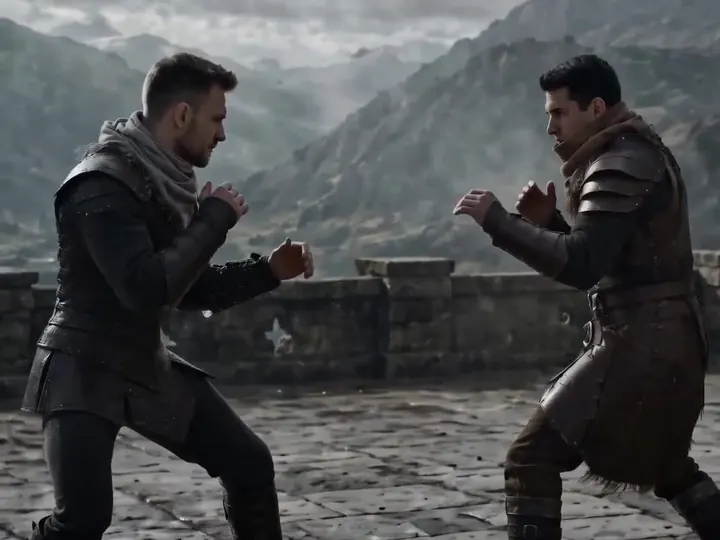
Action · Video Editing
Martial Scene Swap: Cold Weapon Duel
Official example · ByteDance Seedance team
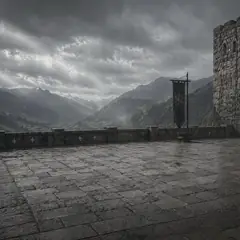
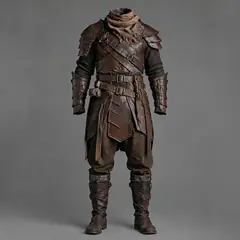
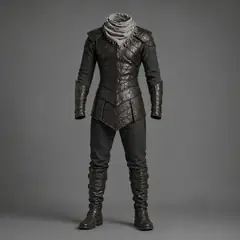
 4 assets
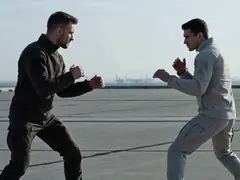
Replace the bare-handed fight video of two people @Video 1 with the empty-handed probing style before a cold weapon duel. Replace the scene with a medieval stone castle platform, ancient courtyard flat ground, mountain fortress outer platform, or simple stone brick dueling ground, with a background of ancient castle walls, wind, fog, distant mountain lines, and flat stone ground @Image 1. Replace the clothing of the man in dark clothes in the video with @Image 2, and replace the man in light clothes with @Image 3. Keep the actions unchanged, do not alter the original rhythm. AI effects only enhance environment and texture: wind blowing clothes, light fog, a small amount of dust at contact points, cold metallic reflective texture, slight grain, and epic color grading. Overall style is restrained, realistic, classical hardcore duel atmosphere. Background music hits the beat.
Video Editing · Character Consistency
Swap a Character Into a Real Clip (Render Prompt)
by @notdwd
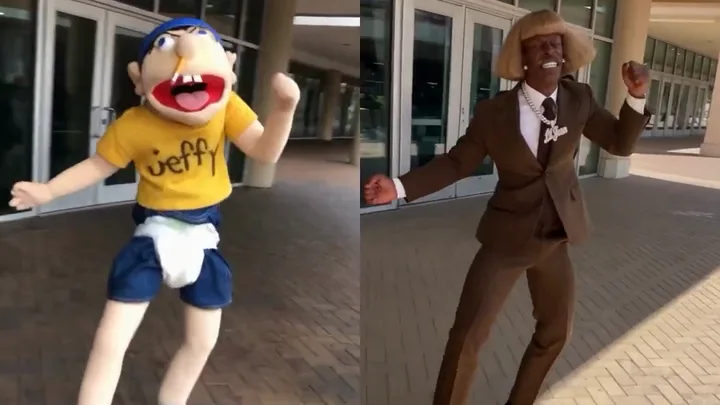
replace [target described by position and clothing] with the person in the reference image. keep the target's exact motion, gestures, mouth movement, timing, posture and screen position. keep every other person, object, location, camera shake, framing, lighting, shadows and timing the same. preserve source motion blur and video quality. no text.
Prompts belong to their creators and are quoted with credit. Results depend on the model version and settings you use.


