





















Silent AI Video Turned Cinematic With SFX v3: 19.5K Views
The Short Version
How 𝘈𝘋𝘋𝘠'𝘚 𝘞𝘖𝘙𝘓𝘋 (YouTube) reached 19.5K views on YouTube with ElevenLabs, according to YouTube (𝘈𝘋𝘋𝘠'𝘚 𝘞𝘖𝘙𝘓𝘋).
- What: AI films can now pull big audiences on YouTube.
- Result: 19,469 views on YouTube in three days, posted Nov 11, 2026.
- Made with: ElevenLabs
| Who | 𝘈𝘋𝘋𝘠'𝘚 𝘞𝘖𝘙𝘓𝘋 (YouTube) |
|---|---|
| Tool | ElevenLabs |
| Revenue | Monetization status unknown |
| Source | YouTube (𝘈𝘋𝘋𝘠'𝘚 𝘞𝘖𝘙𝘓𝘋) |




Try It Yourself
(Our template, not the creator's prompt.) List every sound in this scene description [paste] as separate SFX prompts: ambience first, then movement, then objects, then one accent sound. Under 15 words each.
Starter tools
Your first step
Open ElevenLabs, paste the prompt above and swap the [brackets] for your own niche.
Affiliate links above; see Disclosure.
Go deeper
The workflow
Made With
Some links are affiliate links: Starbelo may earn a commission at no extra cost to you. Disclosure.
Want more plays like this?
Explore The $9 Creator PackOptional Starbelo product.
Where & With What
What They Did
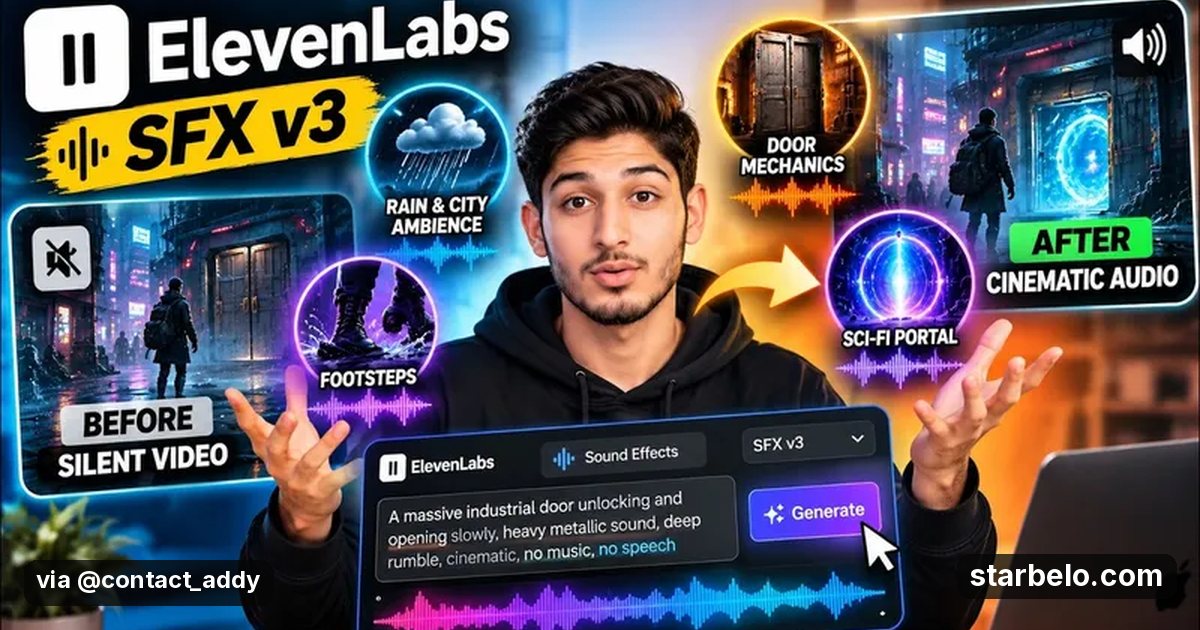
- 1The moveAddy's World takes a silent AI short about a traveler and builds the whole soundscape with ElevenLabs Sound Effects v3 in ElevenCreative: rain, footsteps, industrial machinery and sci-fi effects, each from a text prompt, layered into one mix.
- 2The setupStart from a silent AI clip
- 3The makingPrompt each sound separately
- 4Result19,469 views on YouTube in three days, posted Nov 11, 2026.
How it works and what you need
How it works
- Start from a silent AI clip
- Prompt each sound separately
- Refine the takes you keep
- Layer and mix under the picture
What you need
- ElevenLabs: AI voice-over (free plan)
- An account on YouTube & Shorts
Quick Answers
What tools do you need?
ElevenLabs (ai voice-over).
How much does it cost?
You can start for $0: ElevenLabs has a free plan. Check each tool's site for current prices.
Is it allowed?
Yes, if it is original. YouTube does not monetize mass-produced or repetitive content. Source.
Watch out: Layer quietly: too many loud effects at once sounds fake.
Full write-up & sources
Worth knowing: Fast SFX means you can sell sound passes or ship better shorts.
Related Guides & Hubs
People Also Searched
Also see Mirelo: an AI audio editor that adds sound effects, music and dubs to a video from a prompt. SFX 2.0 is 33% off official usage rates until December 12, 2026.
What to Try Next



More Like This
 MidjourneyREACHAI Films & TrailersHarry Potter by Balenciaga14.8Mviews506Kfollowers
 ChatGPTREACHAI Films & TrailersAI Fake Director Trailer3.29Mviews277Kfollowers
 MidjourneyREACHAI Films & TrailersNeural Viz, AI Sci-Fi Universe854Kfollowers796Kviews
 MidjourneyREACHAI Films & TrailersAbandoned Films, 1950s AI Trailers353Kfollowers721Kviews
 KlingREACHAI Films & TrailersAI Video School, Cinematic Short583Kviews13.3Klikes96.2Kfollowers
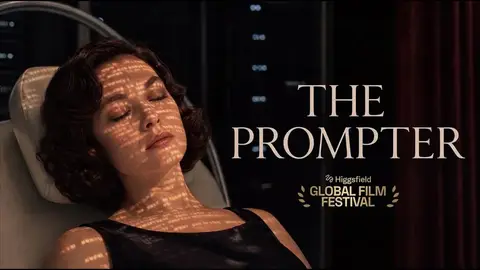
 SeedanceREACHAI Films & TrailersTHE PROMPTER, Full AI Stack310Kviews2.63Kfollowers
 SeedanceREACHAI Films & TrailersJetty Tsunami, Disaster Short89Kviews2,305likes
 ElevenLabsREACHAI Films & TrailersHelyz Space AI Film Rules1.1Kviews
Featured on Starbelo
Is this your work? Share it with your audience.
Something wrong or out of date? Email [email protected] and we will fix it.
Paste this on your site, link in bio page or newsletter. It links back to this page. How the badge works
<a href="https://starbelo.com/use-case/addys-world-elevenlabs-sfx-v3-silent-ai-video-to-cinematic/?utm_source=badge&utm_medium=embed&utm_campaign=addys-world-elevenlabs-sfx-v3-silent-ai-video-to-cinematic" title="Featured on Starbelo"><img src="https://starbelo.com/badge/featured-on-starbelo.svg" alt="Featured on Starbelo" width="220" height="48"></a>