

















104 Client Images Into a 30-Day Instagram Plan
The Short Version
How ContentStudio (YouTube) reached 357 views on YouTube with ContentStudio and ChatGPT, according to YouTube (ContentStudio).
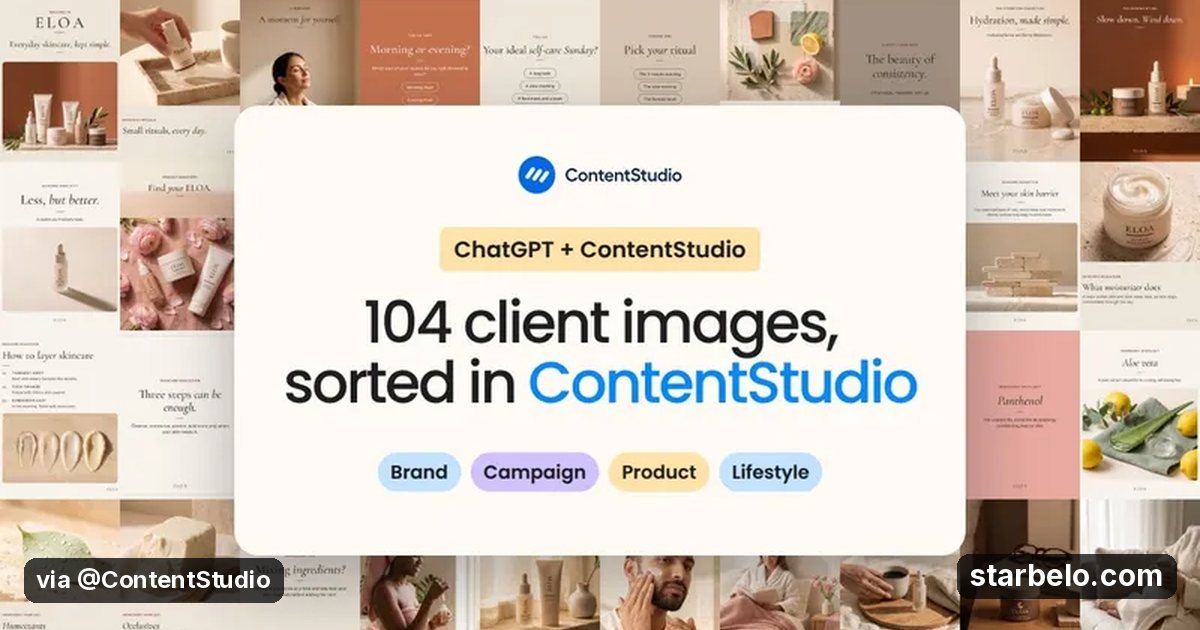
- What: ContentStudio connects ChatGPT to its plugin and hands it a skincare brand folder of 104 uncaptioned images.
- Result: 357 views on the official ContentStudio channel, posted Oct 20, 2026.
- Made with: ContentStudio, ChatGPT
| Who | ContentStudio (YouTube) |
|---|---|
| Tool | ContentStudio, ChatGPT |
| Revenue | Monetization status unknown |
| Source | YouTube (ContentStudio) |



Try It Yourself
(Our template, not the creator's prompt.) Here are descriptions of my client's images [paste]. Group them into themes, then build a 30-day Instagram plan: one image per day, a caption with a hook, and 3 hashtags.
Starter tools
Your first step
Open ChatGPT, paste the prompt above and swap the [brackets] for your own niche.
Affiliate links above; see Disclosure.
Go deeper
The workflow

Made With
Some links are affiliate links: Starbelo may earn a commission at no extra cost to you. Disclosure.
Want more plays like this?
Explore The $9 Creator PackOptional Starbelo product.
Where & With What
What They Did
- 1The moveContentStudio connects ChatGPT to its plugin and hands it a skincare brand folder of 104 uncaptioned images.
- 2The setupConnect ChatGPT to ContentStudio
- 3The makingShare the media folder
- 4Result357 views on the official ContentStudio channel, posted Oct 20, 2026.
How it works and what you need
How it works
- Connect ChatGPT to ContentStudio
- Share the media folder
- Build the 30-day plan
- Get approval and schedule
What you need
- ContentStudio: AI social suite for publishing, writing and analytics
- ChatGPT: OpenAI's AI assistant for ideas, scripts and planning (free plan)
- An account on YouTube & Shorts
Quick Answers
What tools do you need?
ContentStudio (ai social suite for publishing, writing and analytics); ChatGPT (openai's ai assistant for ideas, scripts and planning).
How much does it cost?
You can start for $0: ChatGPT has a free plan. ContentStudio is paid or trial-based. Check each tool's site for current prices.
Is it allowed?
Yes, if it is original. YouTube does not monetize mass-produced or repetitive content. Source.
Watch out: Get client approval on captions before anything goes live.
Full write-up & sources
More detail: ChatGPT sorts them into a 30-day Instagram plan, writes the posts and schedules them, with the client approving along the way.
Worth knowing: Speed here means more clients per manager.
Related Guides & Hubs
People Also Searched
What to Try Next


More Like This
 GrokREACHAI WorkflowsBot vs Dots vs Muse269.4Kviews
 GrokREACHAI Workflows7 Useful Updates12.4Kviews
 vidIQREACHAI WorkflowsProject Midas ChatGPT vidIQ Plan140views
 CSContentStudioREACHAI WorkflowsBlog to 7406views
 ClaudeAI WorkflowsPodcast Catalog to Daily Shorts
 Opus ClipAI Workflows40-Min Walkthrough to Shorts
 Opus ClipAI Workflows12 Clips in 8 Minutes12 Clips
 Opus ClipAI WorkflowsStand-Up Comedy Clips
Featured on Starbelo
Is this your work? Share it with your audience.
Something wrong or out of date? Email [email protected] and we will fix it.
Paste this on your site, link in bio page or newsletter. It links back to this page. How the badge works
<a href="https://starbelo.com/use-case/contentstudio-chatgpt-104-client-images-30-day-plan/?utm_source=badge&utm_medium=embed&utm_campaign=contentstudio-chatgpt-104-client-images-30-day-plan" title="Featured on Starbelo"><img src="https://starbelo.com/badge/featured-on-starbelo.svg" alt="Featured on Starbelo" width="220" height="48"></a>