Make a talking presenter video from one photo: D-ID Studio
Explainers, course lessons and faceless channels need a face on screen; an AI presenter fills that without filming.
The Short Version
How D-ID did it with D-ID: An official demo on d-id.com.
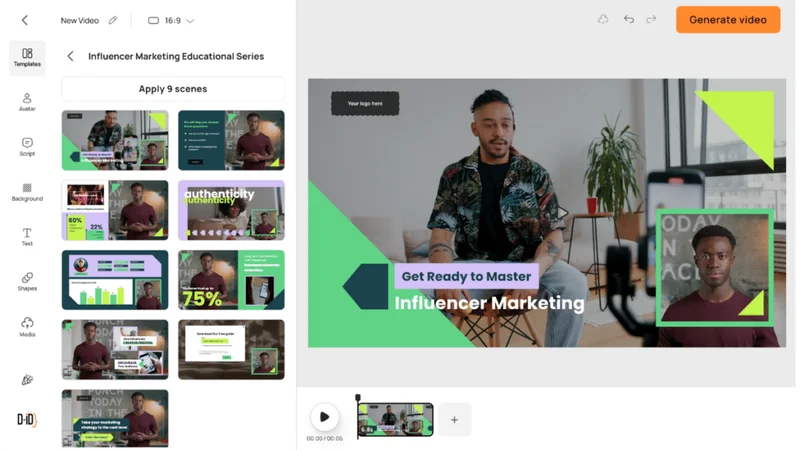
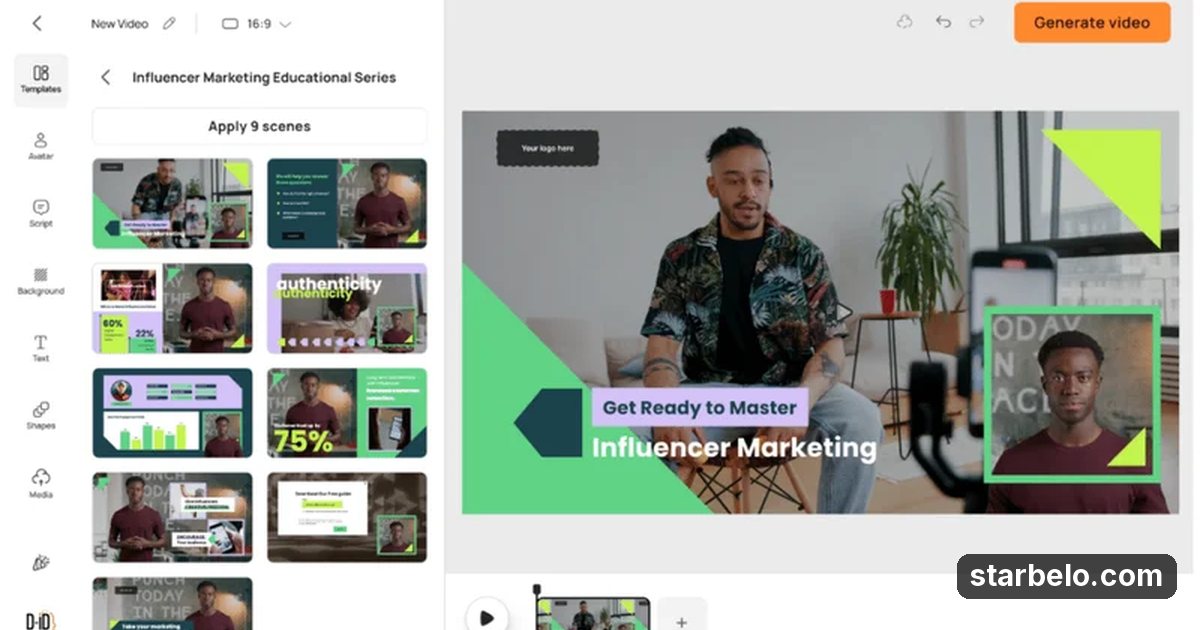
- What: D-ID's official Studio demo builds an influencer marketing lesson with an AI presenter: pick an avatar or upload a photo, paste a script, choose a voice and language, and lay out the slides around the talking presenter.
- Result: An official demo on d-id.com.
- Made with: D-ID
| Who | D-ID |
|---|---|
| Tool | D-ID |
| Revenue | Monetization status unknown |
| Source | d-id.com |
The workflow
Made With
 D-IDAvatar · AI video platform that turns one photo or avatar into a talking presenter video in many languagesTry D-IDMore Cases
Where & With What
What They Did
- 1The moveD-ID's official Studio demo builds an influencer marketing lesson with an AI presenter: pick an avatar or upload a photo, paste a script, choose a voice and language, and lay out the slides around the talking presenter.
- 2Step 2Pick an avatar or upload a photo you have rights to
- 3Step 3Paste the script and choose a voice
- 4ResultAn official demo on d-id.com.
Quick Answers
What tools do you need?
D-ID (ai video platform that turns one photo or avatar into a talking presenter video in many languages).
How much does it cost?
You can start for $0: D-ID has a free plan. Check each tool's site for current prices.
Is it allowed?
Follow the platform rules and disclose ads.
Watch out: Only animate faces you own or have consent for. Trial videos carry a D-ID watermark. Label AI presenters clearly.
Try It Yourself
(Our template, not D-ID's.) Write a 60 second explainer script on [topic] for a talking presenter: a hook in the first 5 seconds, 3 short points, and a one line call to action. Keep sentences under 15 words.
Starter tools
Your first step
Open D-ID, paste the prompt above and swap the [brackets] for your own niche.
Full write-up & sources
Results: No views or earnings are shared.
Related Guides & Hubs
People Also Searched
Featured on Starbelo
Is this your work? Share it, or add the badge to your site.

<a href="https://starbelo.com/use-case/d-id-ai-presenter-video-from-one-photo/" target="_blank" rel="noopener"><img src="https://starbelo.com/badge/featured-on-starbelo.svg" alt="Featured on Starbelo" width="220" height="48"></a>
Something wrong or out of date? Email [email protected] and we will fix it.